Create cell connection manually
To generate a cell connection, press the Add button located below the connection overview table. A wizard dialog will open to assist you in creating a cell connection.
Please select "Manual" to manually create a cell connection between two trusted Orchestra servers.
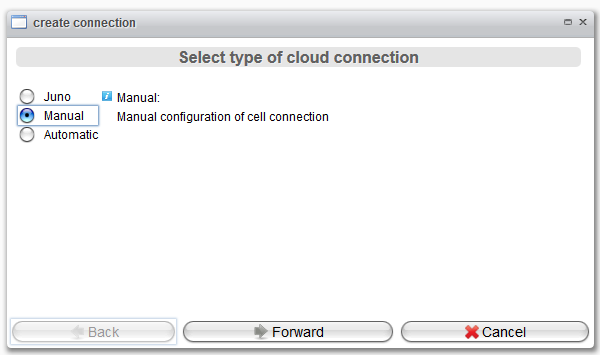
After clicking Forward, the next wizard page will appear, presenting the settings required for manual configuration.
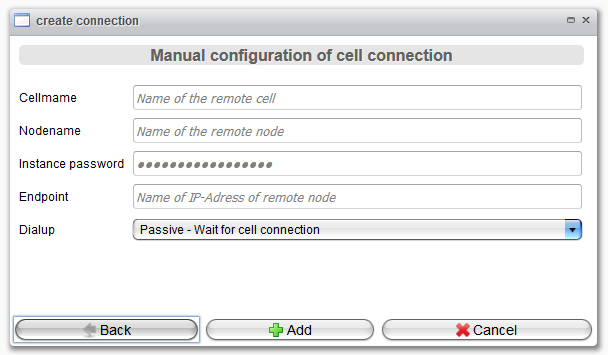
| Attribute | Description |
|---|---|
| Cellname | The name of the remote cell. |
| Nodename | The node name of the remote node. |
| Instance password | The password used when connecting to the remote node. |
| Endpoint | Hostname or IP address of the remote node. |
| Dialup | Defines which cell is responsible for initiating the connection procedure. |
| Passive - Wait for cell connection: If selected, the local node will wait for incoming connections from the other cell nodes. | |
| Active - Connect to other node: If selected, the local node will be responsible for initiating a connection to the remote cell. |
Finally, click the Add button to save the connection.